
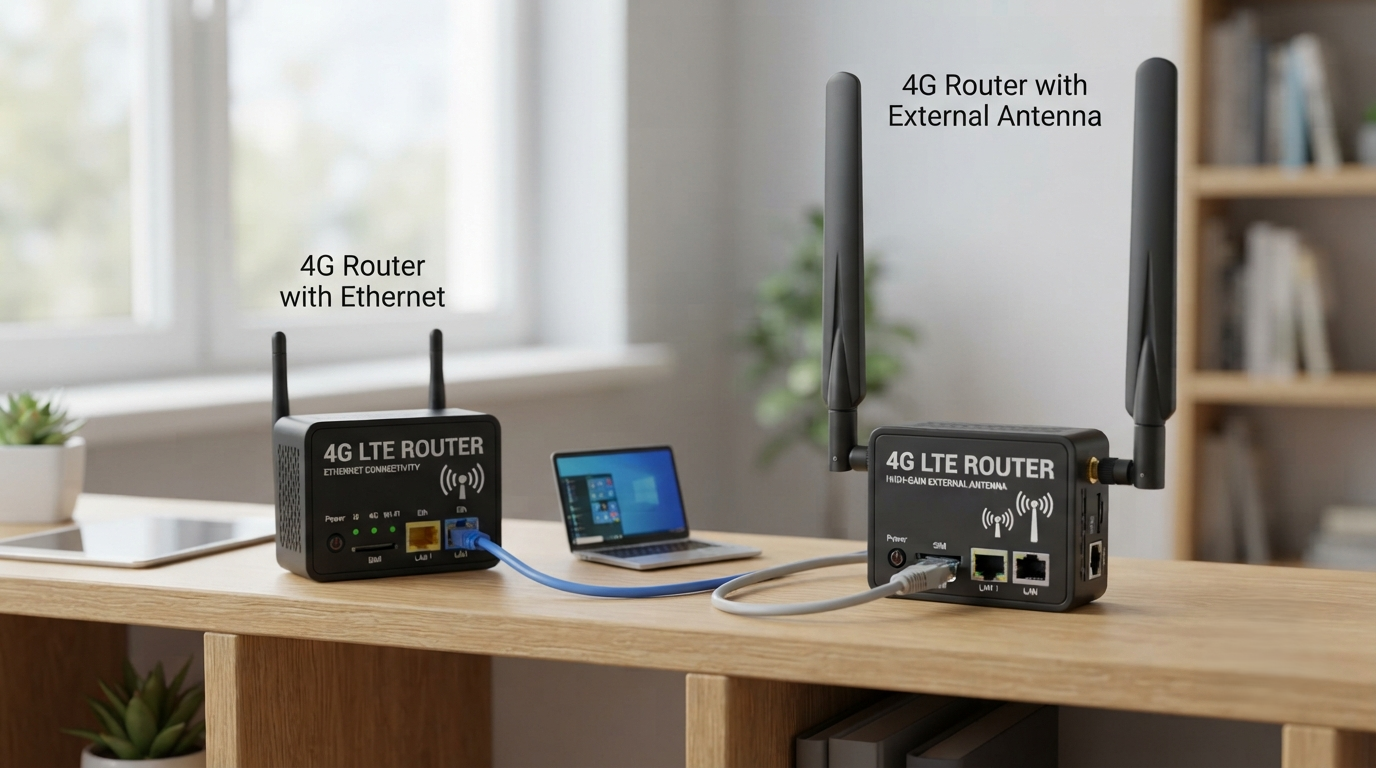
Reliable internet access is essential for homes, offices, retail stores, industrial locations, and remote sites. When traditional broadband is unavailable or unstable, a 4G router with ethernet can provide a practical alternative by converting a mobile 4G LTE connection into wired and wireless internet. For locations where mobile signals are weak, a 4G router with external antenna can further improve connectivity by allowing users to install higher-gain antennas in better signal positions.
Modern 4G routers combine mobility, flexibility, and dependable networking features. Understanding their capabilities can help you select a suitable solution for residential, commercial, IoT, surveillance, and backup internet applications.
What Is a 4G Router with Ethernet?
A 4G router with ethernet connects to a cellular network through a SIM card and distributes that connection through Wi-Fi and Ethernet LAN ports.
Instead of depending on fiber, DSL, or cable internet, the router communicates directly with nearby cellular towers. Devices such as desktop computers, smart TVs, CCTV systems, industrial equipment, and network switches can then connect through Ethernet.
Typical features include:
- 4G LTE SIM card connectivity
- One or multiple Ethernet LAN ports
- Wi-Fi connectivity
- DHCP and network management
- Firewall protection
- VPN support on selected models
- Automatic connection recovery
- Failover capabilities
Ethernet is particularly valuable when stable communication is more important than mobility.
Why Ethernet Connectivity Matters
Wi-Fi is convenient, but wired connections can provide better consistency for fixed devices.
A 4G router with ethernet allows equipment to communicate directly through network cables, helping reduce interference caused by walls, nearby wireless networks, or environmental conditions.
Ethernet connectivity is useful for:
- Desktop computers and workstations
- Network video recorders
- CCTV cameras
- POS terminals
- Smart televisions
- Industrial controllers
- Network switches
- IoT gateways
Businesses can also connect an Ethernet switch to expand the number of available wired connections.
What Is a 4G Router with External Antenna?
A 4G router with external antenna includes connectors that allow compatible cellular antennas to be attached outside the router.
The built-in antennas of standard routers may perform adequately in strong-signal locations. However, thick walls, underground facilities, remote areas, metal structures, and long distances from mobile towers can weaken cellular reception.
External antennas can be positioned where the LTE signal is stronger, potentially improving connection stability and performance.
Common antenna options include:
- Omnidirectional antennas
- Directional antennas
- Outdoor LTE antennas
- High-gain antennas
- MIMO antennas
Choosing the correct antenna depends on signal conditions and installation requirements.
4G Router with Ethernet vs External Antenna Features
| Feature | Ethernet Connectivity | External Antenna |
| Main Purpose | Stable wired networking | Improved cellular reception |
| Best For | PCs, CCTV and equipment | Weak-signal locations |
| Installation | Ethernet cable | Antenna and cable |
| Mobility | Moderate | Depends on installation |
| Signal Improvement | No direct LTE improvement | Can improve LTE reception |
| Network Stability | Excellent for local devices | Helps stabilize cellular link |
The most versatile routers combine both capabilities, offering Ethernet ports and external antenna connectors.
Benefits of Using Both Technologies
Choosing a router equipped with Ethernet and external antenna support creates a flexible networking solution.
A 4G router with external antenna can help establish a stronger cellular connection, while Ethernet delivers that connection reliably to important equipment.
Key advantages include:
- Reliable internet without fixed broadband
- Stable wired connections
- Flexible antenna placement
- Quick deployment
- Support for remote installations
- Easy network expansion
- Backup connectivity for businesses
This combination can be especially valuable where installing fiber infrastructure would be expensive or impractical.
Important Features to Consider Before Buying
Selecting a 4G router should involve more than checking its maximum advertised speed.
First, confirm that the router supports the LTE frequency bands used by your mobile network provider.
You should also examine:
- LTE category and supported speeds
- SIM card compatibility
- Number of Ethernet ports
- Gigabit or Fast Ethernet capability
- Wi-Fi standards
- External antenna connectors
- MIMO support
- VPN functionality
- Firewall features
- Remote management
- Operating temperature
- Automatic reconnect functionality
For professional installations, industrial-grade construction and remote monitoring may also be important.
Where Can a 4G Router Be Used?
A 4G router with ethernet can support many networking environments.
In offices, it can provide temporary internet during broadband installation or serve as a backup connection. Retail stores can use 4G connectivity for POS systems and security equipment.
Remote locations can benefit even more from a 4G router with external antenna, particularly when the router itself cannot be installed near the strongest signal point.
Common applications include:
- Homes
- Small offices
- Construction sites
- Farms
- Warehouses
- Factories
- Retail stores
- CCTV installations
- Temporary events
- Smart kiosks
- Remote IoT systems
- Transportation facilities
Its ability to operate almost anywhere cellular coverage exists makes 4G networking highly adaptable.
How to Improve 4G Router Performance
Router placement plays an important role in performance.
Position the router near a window or elevated area where cellular reception is stronger. Avoid placing it inside metal cabinets or behind large electronic equipment.
When signal strength remains weak, a 4G router with external antenna provides additional installation options.
For better performance:
- Check cellular signal strength.
- Test different router positions.
- Select the strongest available LTE network.
- Use quality antenna cables.
- Keep antenna cables as short as practical.
- Position directional antennas correctly.
- Update router firmware regularly.
- Protect the router with secure passwords.
Network performance ultimately depends on factors including cellular coverage, network congestion, frequency bands, antenna quality, and the router’s hardware capabilities.
Security Considerations for 4G Routers
Security should never be overlooked when deploying mobile internet equipment.
Change default administrator credentials immediately and use strong Wi-Fi encryption. Disable unnecessary remote-management services and keep firmware updated.
Business users should consider routers offering firewall rules, VPN support, access control, secure remote management, and network segmentation.
These features are particularly important for CCTV, payment systems, IoT equipment, and business networks.
Frequently Asked Questions
1. What is a 4G router with Ethernet?
A 4G router with ethernet uses a cellular SIM connection and distributes internet through Ethernet ports and usually Wi-Fi.
2. Can I connect a computer directly to a 4G router?
Yes. A computer can connect directly through an available LAN Ethernet port.
3. Why use an external antenna with a 4G router?
External antennas allow better antenna positioning and may improve cellular reception in weak-signal environments.
4. Can a 4G router replace broadband?
It can be an alternative where sufficient cellular coverage and suitable data plans are available.
5. Does an external antenna always increase speed?
Not necessarily. It can improve signal conditions, but actual speed also depends on network congestion, LTE technology, and operator capacity.
6. Can I connect CCTV equipment through Ethernet?
Yes. Ethernet-enabled CCTV recorders, cameras, and related networking equipment can be connected to compatible routers.
7. What is MIMO antenna technology?
MIMO uses multiple antenna paths to improve data transmission efficiency and LTE performance.
8. Is a 4G router suitable for remote locations?
Yes, provided compatible cellular network coverage is available.
9. Can several Ethernet devices share one 4G connection?
Yes. Multiple LAN ports or an additional Ethernet switch can connect several devices.
10. Is a 4G router secure?
It can provide strong security when properly configured with updated firmware, encryption, firewalls, and secure passwords.